FinalFrame AI

Vérifié
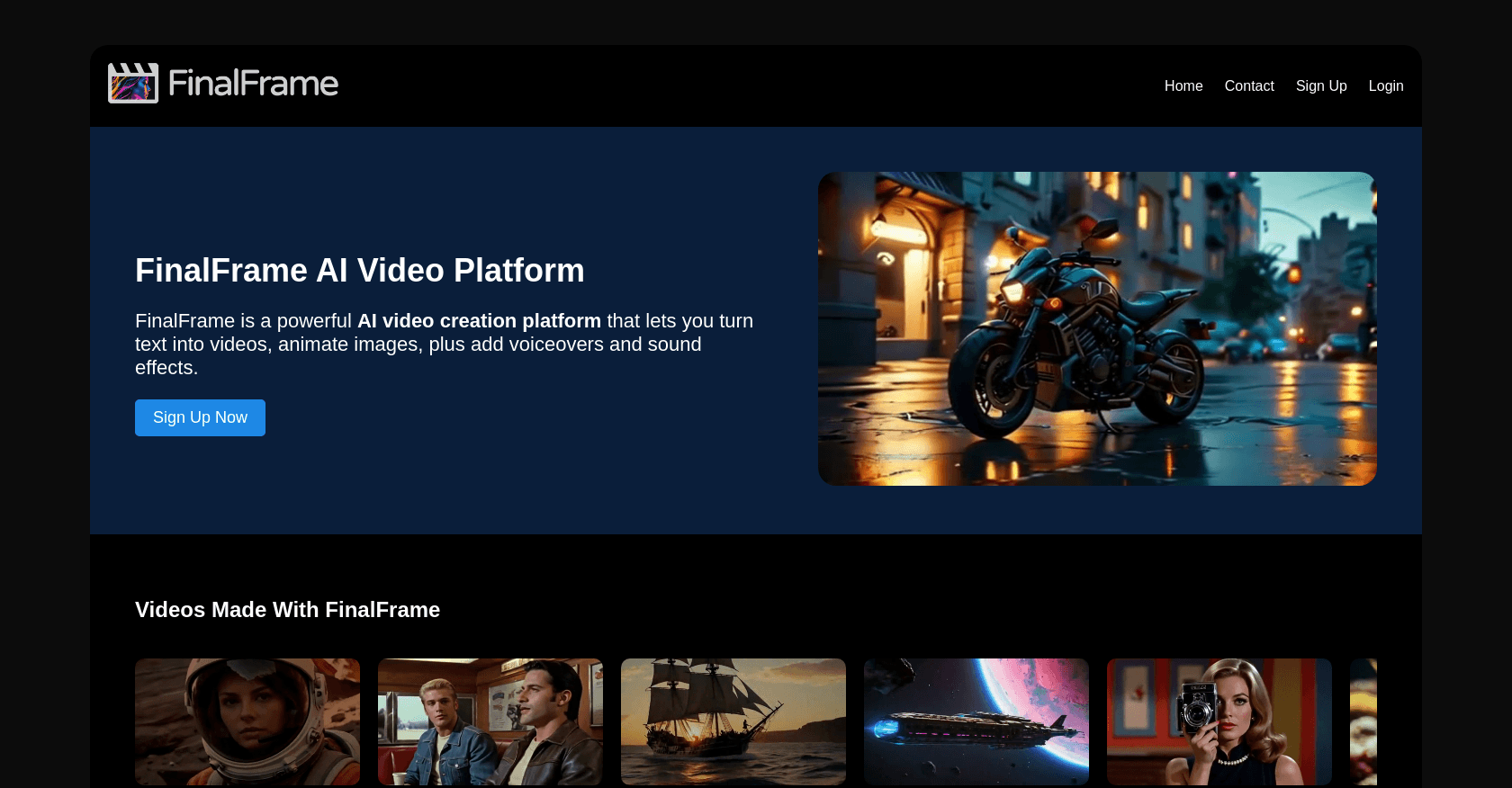
Capture d'écran de FinalFrame AI

À propos

FinalFrame AI is a cutting-edge video creation platform that allows users to generate and edit videos using AI. By combining text, images, and voiceovers, it enables fast video production with options for animation, voice synchronization, and sound effects.

Fonctionnalités clés

  • AI-powered text to video generation
  • Bulk image-to-video conversion
  • Lip sync feature with advanced voice synchronization
  • Text-to-sound effects and music creation
  • Editable timeline for quick video assembly

Cas d'usage

Creating promotional videos for marketingAnimating images from platforms like Midjourney and Dall-EGenerating educational content with voiceoverSocial media video content creationExplainer videos and product demos

Comment l'utiliser

1. Sign up on the FinalFrame website. 2. Choose your media input (text, images, or video). 3. Use text prompts or upload images to generate videos. 4. Add voiceovers, lip-sync, and sound effects using the integrated AI features. 5. Edit the video using the timeline interface, and export when done.

Tarifs

Starter Pack - $2.99

  • 20 AI GPU Credits
  • Credit expires in 30 days

Creator Pack - $11.99

  • 100 AI GPU Credits
  • Credit expires in 90 days

Pro Pack - $21.99

  • 200 AI GPU Credits
  • Credits never expire

Les tarifs sont donnés à titre indicatif et peuvent évoluer — consultez le site officiel pour les prix à jour.

Questions fréquentes

What kind of media can I use with FinalFrame?

You can upload images, use text prompts for video generation, and integrate voiceovers or music for added depth.

Does FinalFrame support bulk video creation?

Yes, you can import multiple images at once and have them converted to video using AI.

What is the pricing structure for FinalFrame?

FinalFrame offers a Starter Pack with 20 credits for $2.99, a Creator Pack with 100 credits for $11.99, and a Pro Pack with 200 credits for $21.99.

Alternatives à FinalFrame AI