Cursor

Vérifié
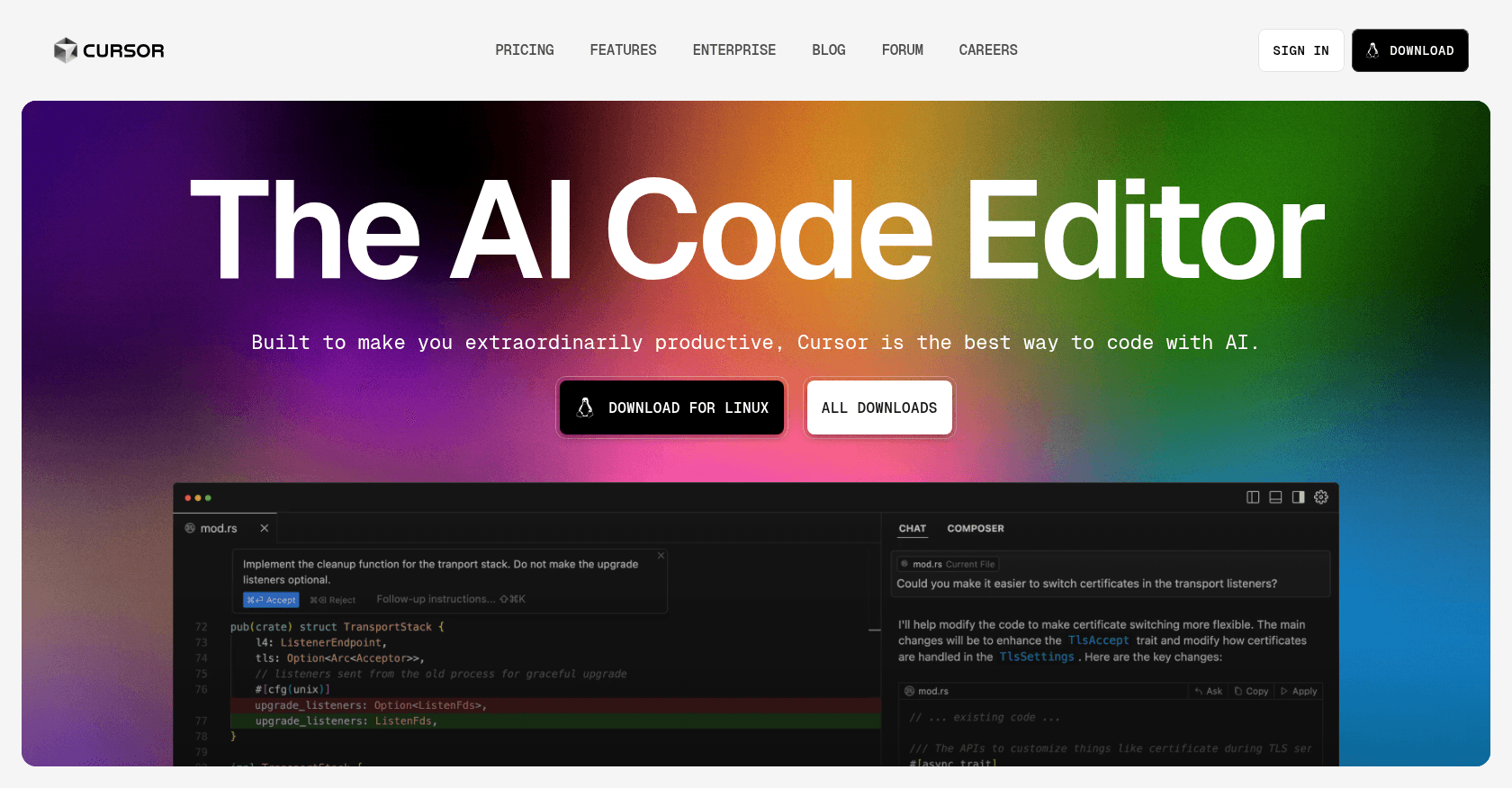
Capture d'écran de Cursor

À propos

Cursor is an AI-powered code editor built on Visual Studio Code, designed to enhance developer productivity through features like intelligent code completion, natural language commands, and deep codebase understanding.

Fonctionnalités clés

  • AI-powered code completion and generation
  • Natural language command interface
  • Context-aware codebase analysis
  • Integrated chat for dynamic interactions
  • Support for multiple programming languages
  • Privacy Mode with SOC 2 certification

Cas d'usage

Accelerating software development with AI-assisted codingRefactoring existing codebases efficientlyGenerating documentation and README filesDebugging and error correction with AI suggestionsLearning and exploring new codebases through AI explanations

Comment l'utiliser

1. Download and install Cursor from the official website. 2. Set up your development environment and configure any necessary API keys. 3. Open your project within Cursor. 4. Use natural language prompts or code snippets to interact with the AI assistant for code generation, refactoring, or explanation.

Tarifs

Free

  • Access to basic AI features
  • Support for multiple programming languages
  • Integration with existing VS Code extensions

Pro - $20/month

  • Access to advanced AI models (GPT-4, Claude 3.5 Sonnet)
  • Extended context windows for deeper code understanding
  • Priority support and feature updates

Les tarifs sont donnés à titre indicatif et peuvent évoluer — consultez le site officiel pour les prix à jour.

Questions fréquentes

Is Cursor compatible with my existing VS Code extensions?

Yes, since Cursor is built on Visual Studio Code, it supports most existing extensions, themes, and keybindings.

Does Cursor store my code remotely?

No, Cursor offers a Privacy Mode where your code is never stored remotely, ensuring your proprietary code stays secure.

Which AI models does Cursor use?

Cursor utilizes advanced AI models including GPT-4 and Claude 3.5 Sonnet to provide intelligent code assistance.

Can I use Cursor for free?

Yes, Cursor offers a free version with robust AI features. There is also a Pro plan with additional capabilities.

Alternatives à Cursor